Réservation en ligne pour salons, cliniques et services
Les clients prennent rendez-vous eux-mêmes — via messageries,réseaux sociaux et site — 24/7, sans appels

Plus de 15 000 entreprises utilisent Mavibot
Fonctionnalités pour votre entreprise
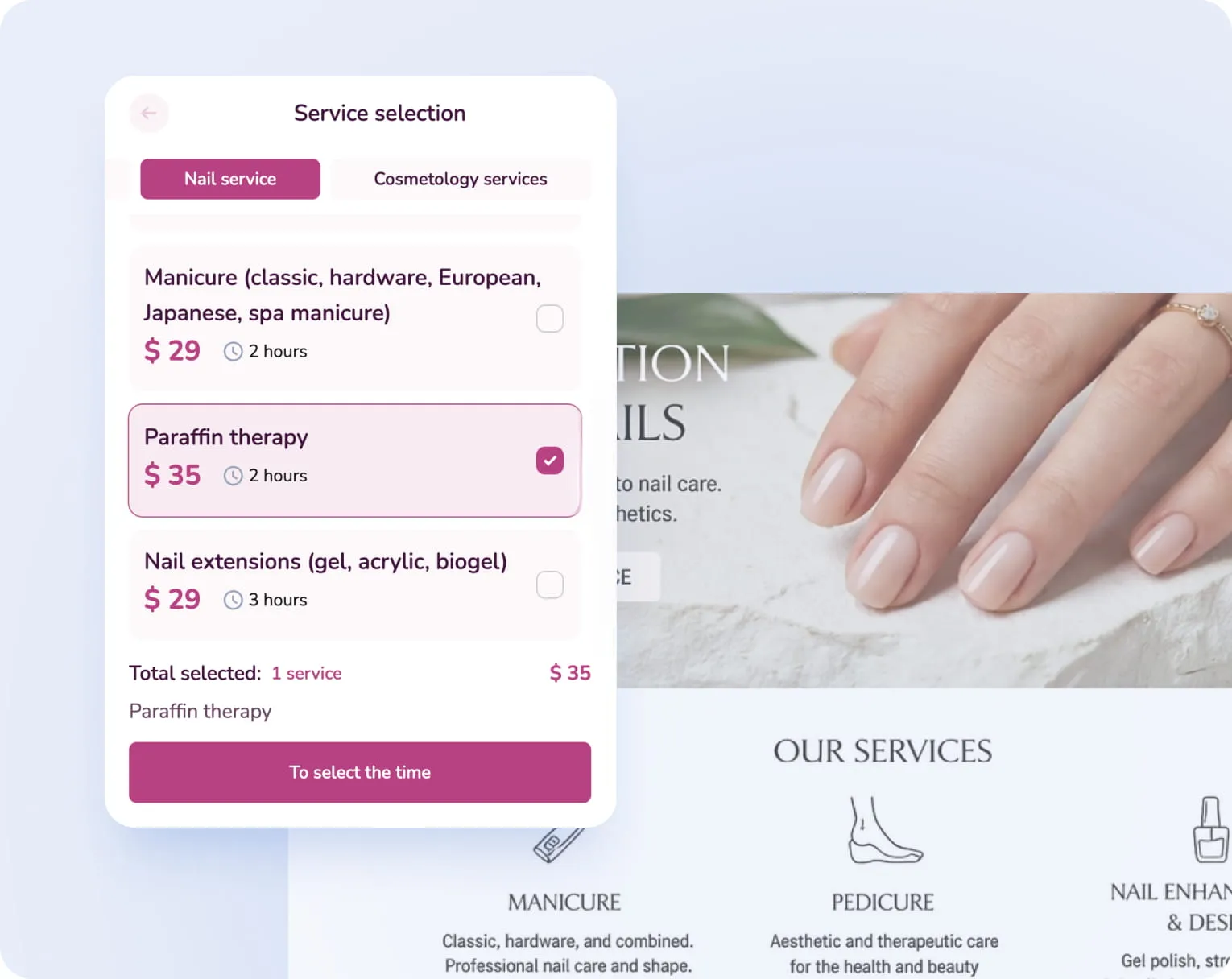
Réservation sans appels en quelques minutes
Les clients réservent en ligne rapidement — sans messages ni attente de réponse de l'administrateur
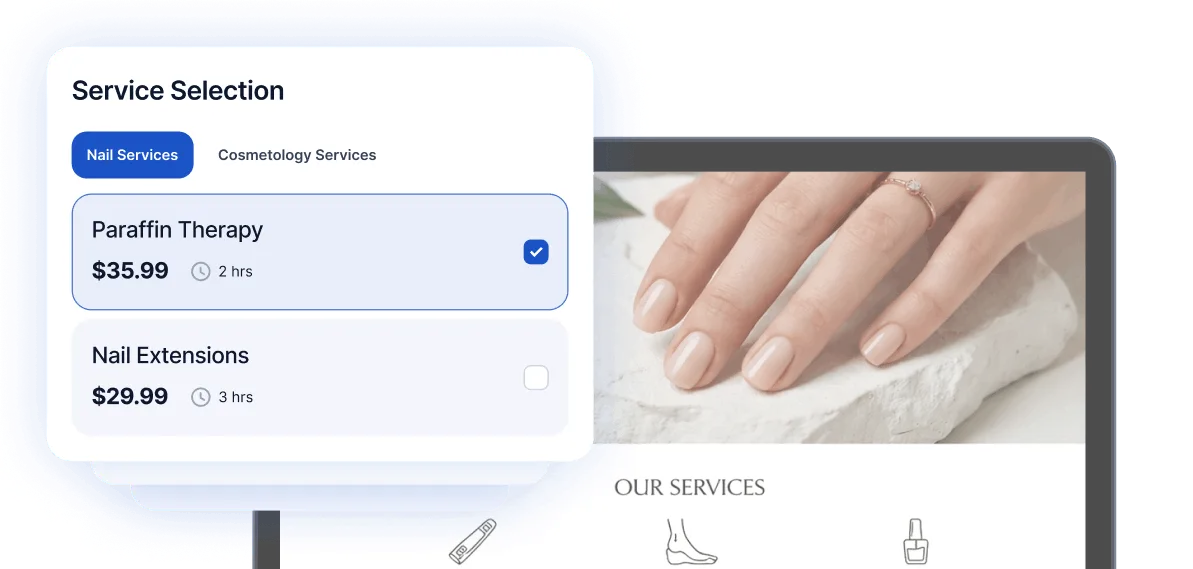
Système de réservation pour tous les canaux
Désormais les clients peuvent réserver sans votre intervention sur le site, dans WhatsApp, Facebook, TikTok et d'autres canaux
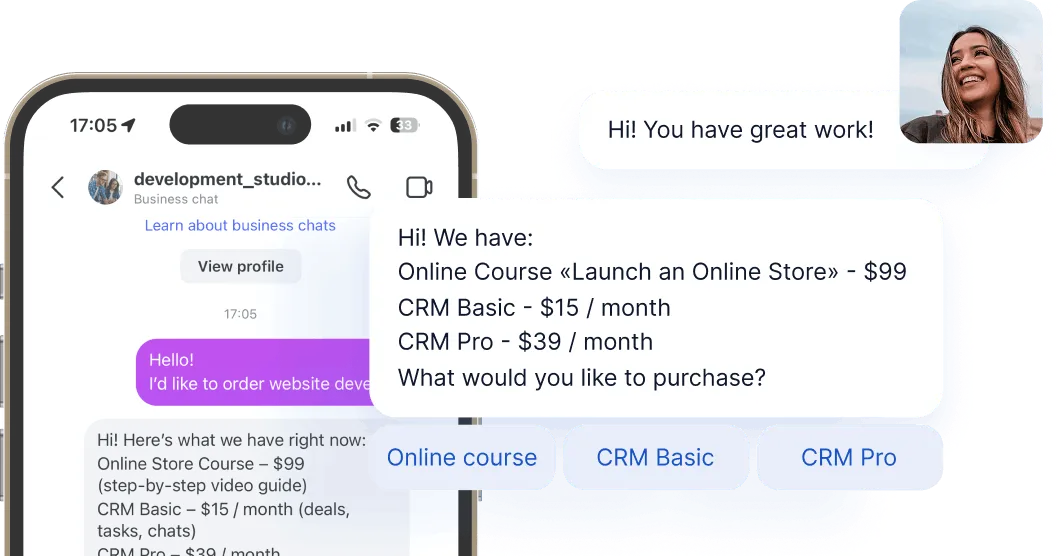
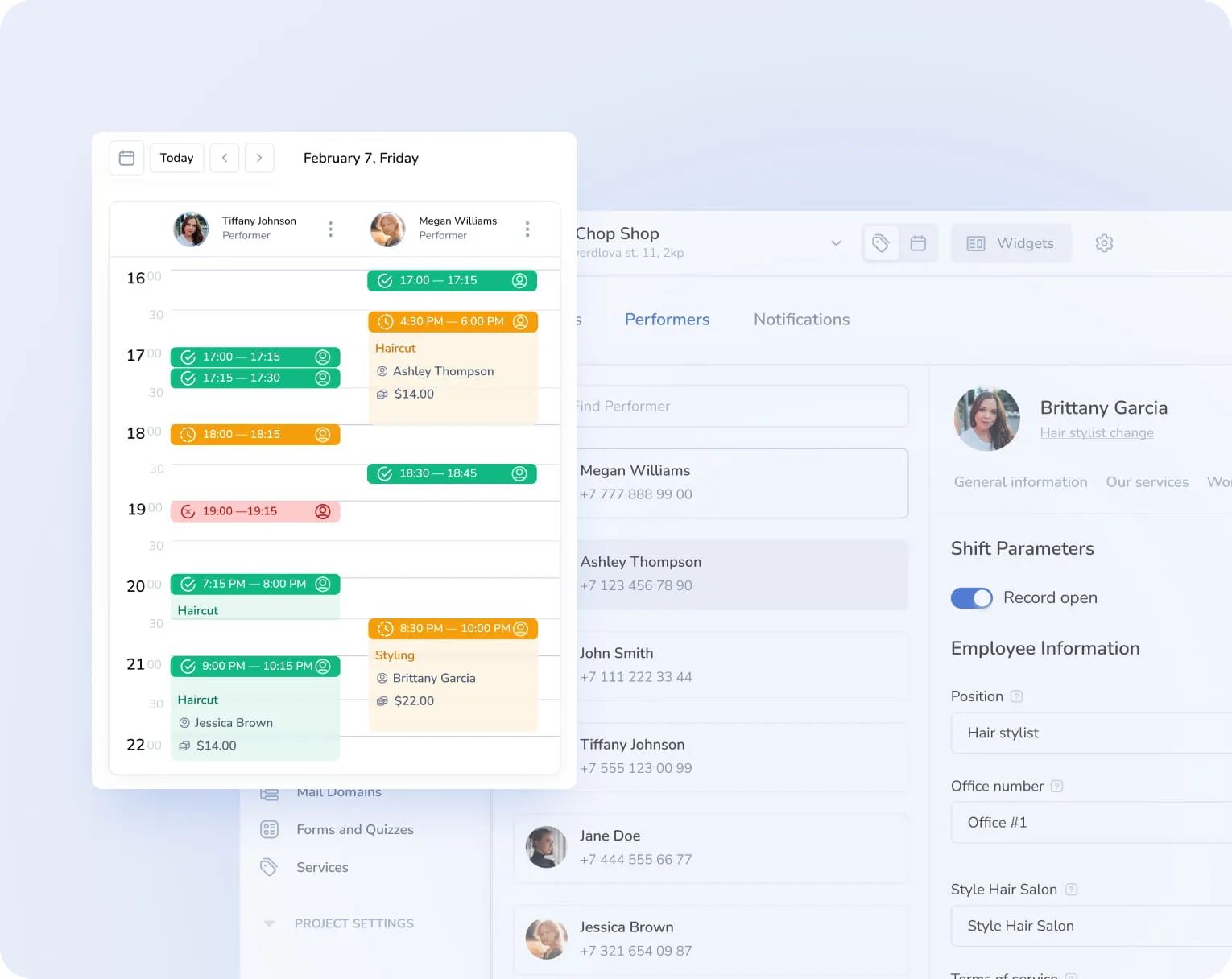
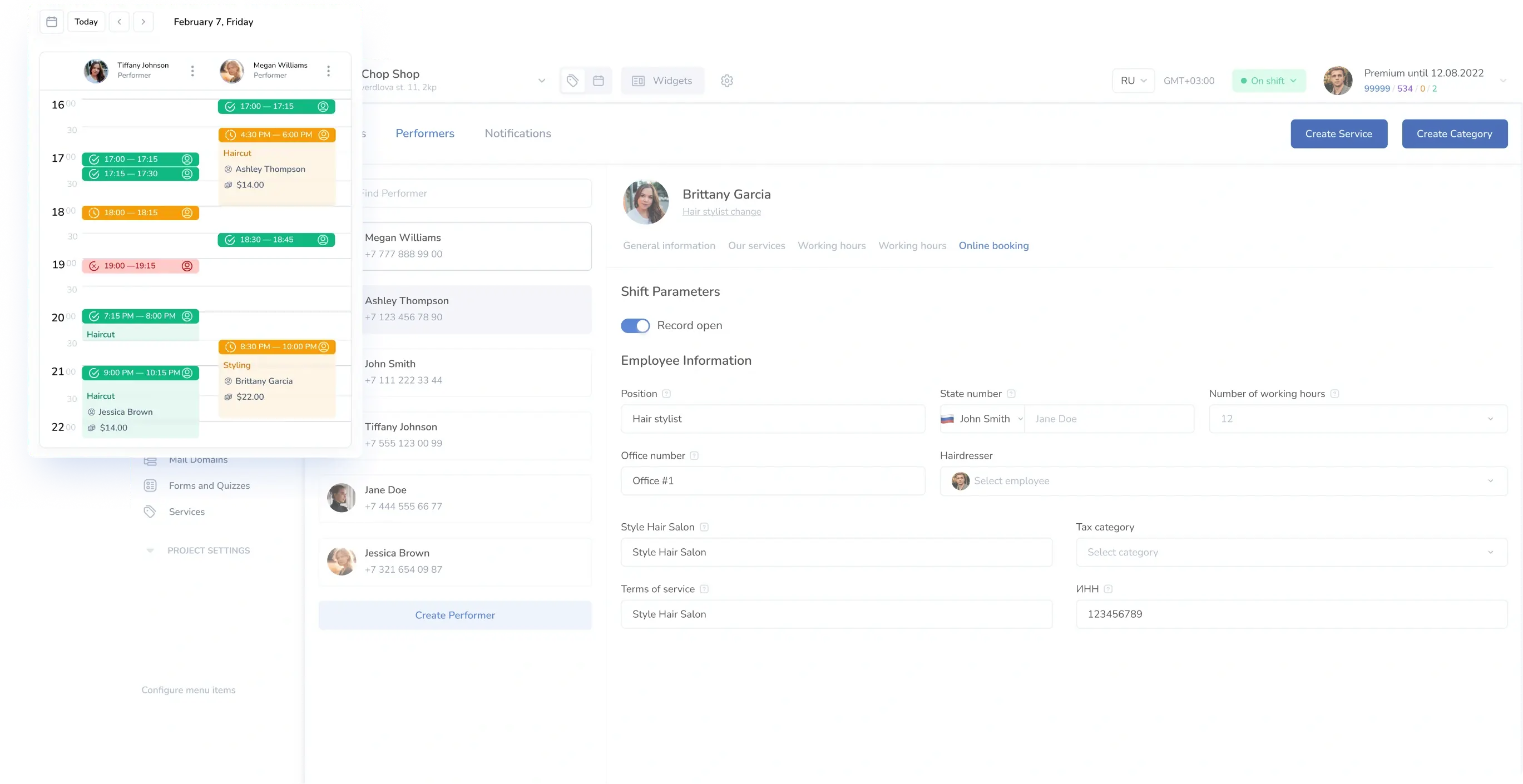
Calendrier de réservation pratique
Vous voyez toujours les nouvelles réservations en temps réel
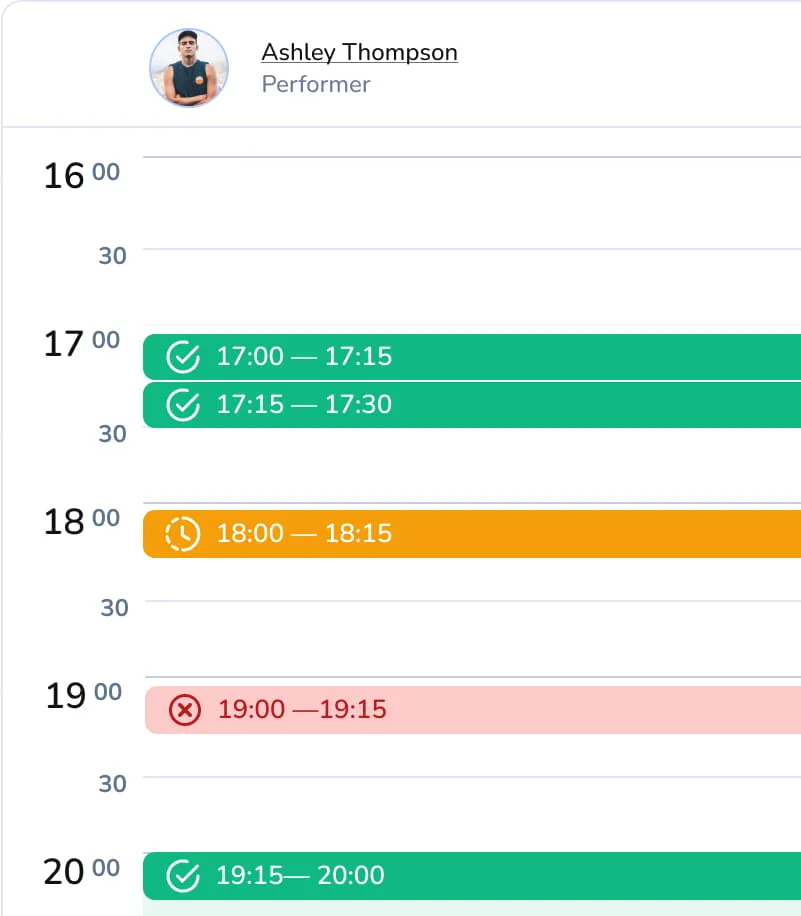
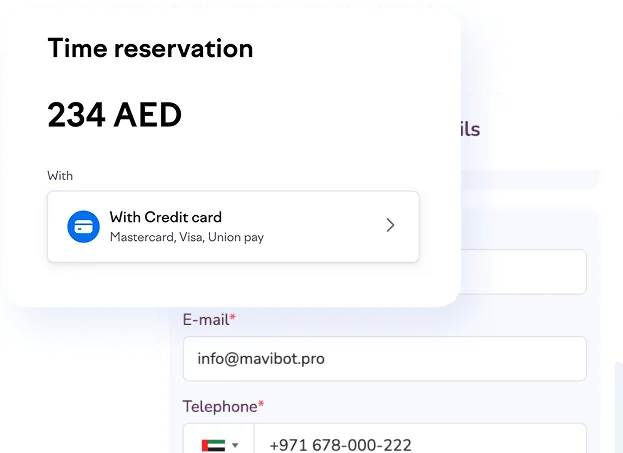
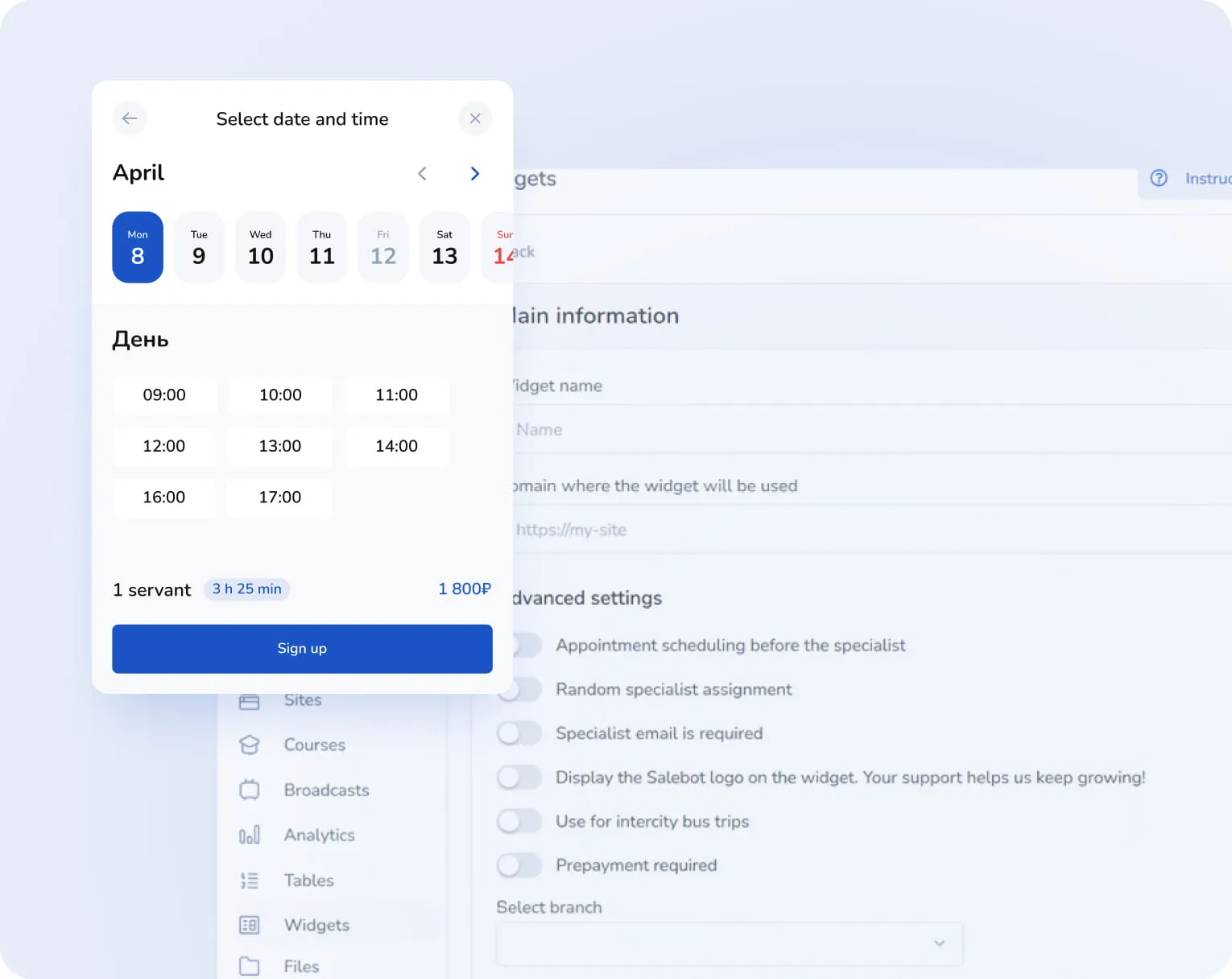
Des paiements qui sécurisent chaque réservation
Réduisez les absences grâce aux acomptes sur les services
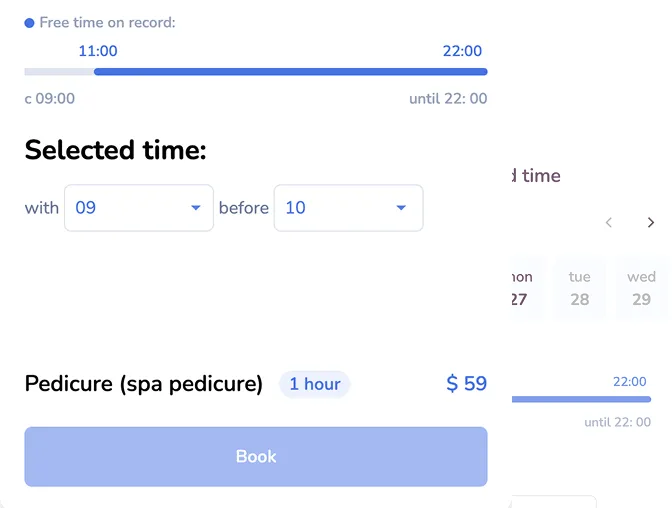
Disponibilité en temps réel
Créneaux toujours à jour pour que vos clients réservent instantanément
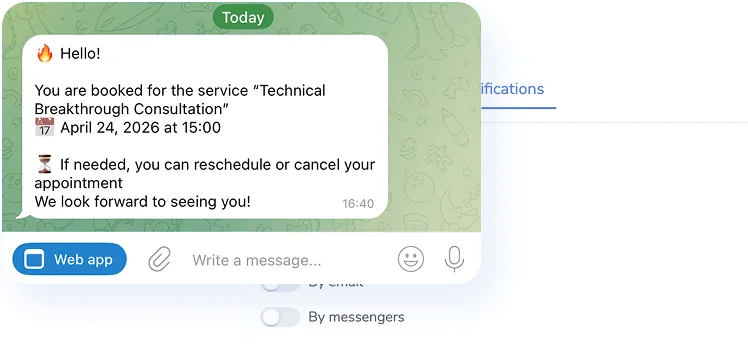
Rappels de réservation intégrés
Augmentez la fidélité des clients et réduisez les absences grâce aux notifications automatiques de réservation
Nous vous aidons à chaque étape
L'IA crée un site adapté à votre activité


Simplifions. Automatisons. Optimisons.
Pourquoi les experts choisissent Mavibot
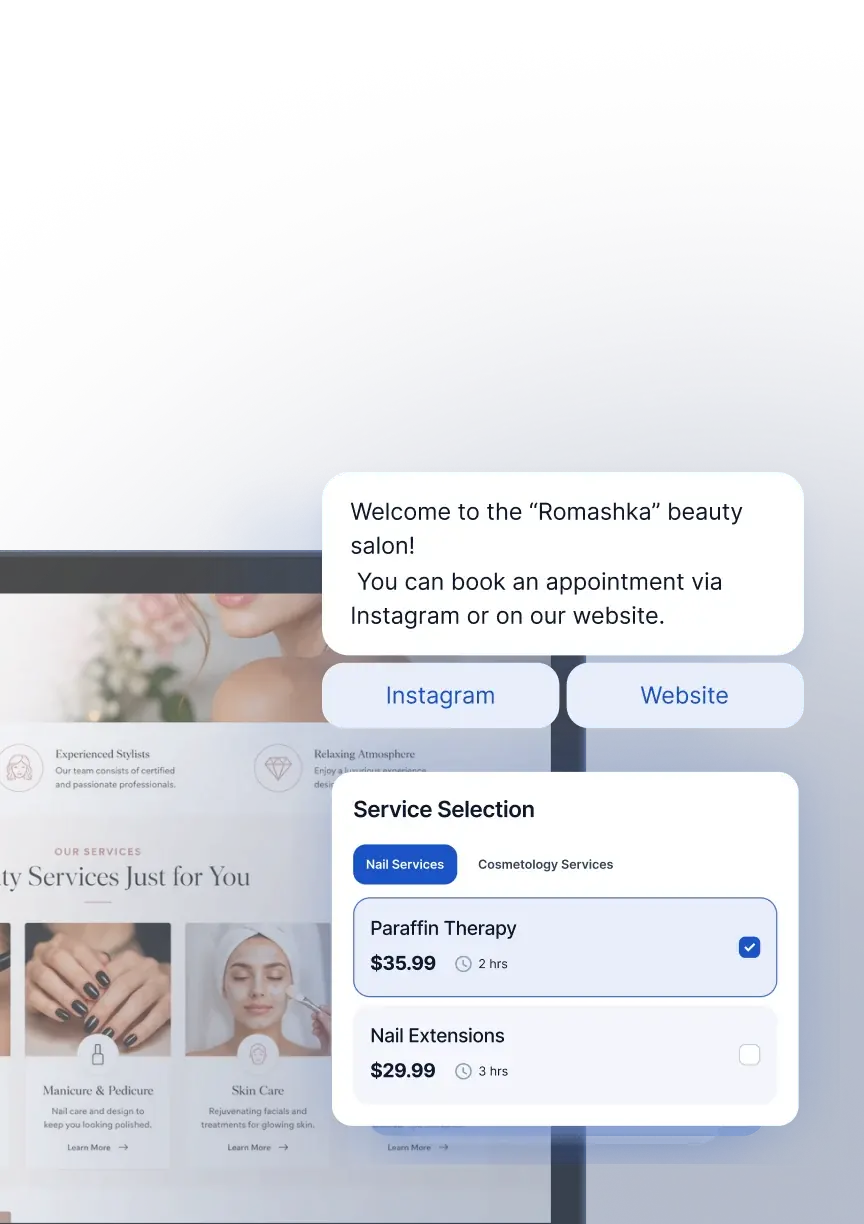
Réservation via messagerie, site ou widget
Le client choisit un créneau directement dans Instagram, WhatsApp ou sur le site. Sans appels ni attente de réponse.
(not found)
Fonctionnement stable
La réservation est acceptée sans pannes ni blocages. Le client ne verra pas d'erreur au moment le plus inopportun
(not found)
Accès en abonnement gratuit
Réservation en ligne, rappels aux clients, calendrier et acceptation d'acomptes — sur n'importe quel abonnement
(not found)
Site personnel
Le site pour la réservation en ligne est déjà inclus dans l'abonnement. Créez-le à partir de modèles sans frais supplémentaires
(not found)
Tarif clair
Politique tarifaire totalement transparente et ouverte — aucun paiement caché ni astérisques
À qui convient Mavibot
L'automatisation pour toutes les entreprises — des startups aux grands groupes
(not found)
Cliniques médicales et dentaires(not found)
Avocats(not found)
Consultants en ligne(not found)
Coachs et mentors(not found)
Services mobiles et à domicile(not found)
Salons de beauté(not found)
Spécialistes de la beauté(not found)
Cliniques de cosmétologie(not found)
Massage et spa(not found)
Services de réparation automobile(not found)
Barbiers(not found)
Tuteurs(not found)
Psychologues(not found)
Services de nettoyage(not found)
Cliniques médicales et dentaires(not found)
Avocats(not found)
Consultants en ligne(not found)
Coachs et mentors(not found)
Services mobiles et à domicile(not found)
Salons de beauté(not found)
Spécialistes de la beauté(not found)
Cliniques de cosmétologie(not found)
Massage et spa(not found)
Services de réparation automobile(not found)
Barbiers(not found)
Tuteurs(not found)
Psychologues(not found)
Services de nettoyageÉtape par étape
Comment configurer la réservation en ligne ?
Créez des services
Accédez à Mavibot et créez des services : définissez la durée, le type (réservations de groupe ou individuelles), le coût.
#1
Définissez le planning
Définissez le planning de travail des employés, les heures de pause et de repos.
#2
Personnalisez le widget
Personnalisez le widget selon votre marque et style et chargez votre logo.
#3
Ajoutez le widget au site
Ajoutez le widget sur le site — maintenant vos clients pourront immédiatement réserver en ligne.
#4
Cas de réussite
Mavibot chez nos clients
De vrais récits de 15 000+ entreprises sur la plateforme
SALON DE BEAUTÉ · ONLINE BOOKING
Les clients ne pouvaient pas prendre rendez-vous en dehors des heures d'ouverture
De nombreux clients souhaitaient réserver un service le soir ou pendant le week-end, mais l'entreprise ne répondait pas toujours… Les clients ont gagné en autonomie.
En savoir plus
CLINIQUE DE MÉDECINE ESTHÉTIQUE · ONLINE BOOKING
L'entreprise perdait des clients à cause d'un processus de réservation trop long
Pour réserver un service, les clients devaient remplir un formulaire ou attendre une confirmation manuelle. Le parcours de réservation est devenu plus simple.
CENTRE DE FORMATION PROFESSIONNELLE · ONLINE BOOKING
La gestion des horaires des formateurs était trop complexe
Les clients devaient contacter l'équipe pour connaître les disponibilités des formateurs. La planification des sessions est devenue plus simple.
CABINET DE CONSEIL · ONLINE BOOKING
Les experts perdaient du temps à organiser des rendez-vous
Les consultants échangeaient plusieurs fois avec les clients pour trouver un horaire disponible. Les experts ont réduit le temps consacré à la prise de rendez-vous.
CENTRE AUTOMOBILE · ONLINE BOOKING
L'atelier perdait des demandes pendant les périodes de forte activité
Lorsque plusieurs clients appelaient en même temps, certains appels restaient sans réponse. Les demandes non traitées ont diminué.
Les clients ne pouvaient pas prendre rendez-vous en dehors des heures d'ouverture
L'entreprise perdait des clients à cause d'un processus de réservation trop long
La gestion des horaires des formateurs était trop complexe
Les experts perdaient du temps à organiser des rendez-vous
L'atelier perdait des demandes pendant les périodes de forte activité
Ce que les gens disent de nous
Avis des clients de Mavibot




Ils font confiance à Mavibot
Maria Kossenkova
Propriétaire
Utilisateur anonyme
Développeuse de chatbots
Evguenia Igorevna Ichtchenko
Stagiaire en Data Science appliquée
Vadim Emoldinov
Propriétaire
Ils font confiance à Mavibot
Sans frais cachés ni surprises
Un abonnement qui s’autofinance
Comparaison des forfaits Mavibot
- Forfaits
- Gratuit
- Entreprise
- Mavibot IA
- Nombre d'employés222
- Nombre de messages par jour501000010000
- Chat en ligne
- Constructeur
- Mavibot CRM
- Assistant IA pour la gestion client
- Constructeur de sites
- Analytique
- Cours
- Diffusions
- Envois
- Calculateur
- Travail avec les requêtes API
- Travail avec Google Sheets
- Paiements dans le bot
- Intégrations avec les systèmes de paiement (sauf Prodamus)
- Intégrations avec les services pour l'infobusiness (Bizon365, Getcourse, Prodamus, etc.)
Gratuit
$ 0
Pour un démarrage rapide sans investissement
Fonctions
Jusqu'à 50 messages par jour
Tous les canaux de messagerie
Plateforme LMS jusqu'à 10 apprenants
1 site web ou boutique en ligne
Ventes et paiements via le chatbot
Business
$ 39
/ mois
Pour les équipes qui font tout seules
Fonctions
Tout ce qu'offre Free, sauf Mavi
1 000 messages par jour
Jusqu’à 1 000 e-mails par jour
Plateforme LMS jusqu'à 1 000 élèves
Plateforme de webinaires
Mavibot AI
$ 59
/ mois
Pour ceux qui délèguent leurs ventes
Fonctions
Tout ce qui est inclus dans "Business"
Mavi, votre employé IA pour les ventes
Configure vos outils et tunnels de vente
Parle aux clients dans 100 langues
Travaille dans tous vos chats et canaux
Options à la carte
+10 000 messages
par jour
$ 19.9
+1 000 e-mails
par jour
$ 9.90
+2 Go
de stockage
$ 1.90
+100 élèves
dans le projet
$ 9.90
Canal additionnel
$ 9.90
Employé supplémentaire
$ 9.90
Une seule plateforme. Un maximum de possibilités.
Transformez votre façon de travailler dès aujourd'hui
Configurez la réservation en ligne. Accueillez des clients sans appels téléphoniques.
Tout votre planning et vos réservations dans un seul système, pour une gestion facile.
FAQ
Réponses à vos questions
Quelle est la meilleure plateforme de réservation en ligne gratuite ?
Mavibot propose un forfait gratuit qui inclut toutes les fonctionnalités essentielles de réservation en ligne : création de widgets, gestion des horaires, acceptation de réservations et intégration sur votre site. Aucune carte bancaire n'est requise pour démarrer. Quand votre volume de réservations augmente, vous pouvez facilement passer à un abonnement payant.
Quel est le site de réservation en ligne le plus fiable ?
Mavibot est utilisé par plus de 15 000 entreprises et garantit un fonctionnement stable sans pannes ni blocages. Les réservations sont confirmées en temps réel et enregistrées automatiquement dans le calendrier — le client ne verra jamais d'erreur au moment le plus inopportun.
Quels sont les canaux disponibles pour la réservation en ligne ?
Avec Mavibot, vos clients peuvent réserver depuis plusieurs canaux : votre site web via un widget intégré, WhatsApp, Facebook Messenger, Instagram et d'autres messageries populaires. Toutes les réservations arrivent dans un seul système, sans que vous ayez à jongler entre les plateformes.
Existe-t-il un agenda numérique gratuit pour gérer mes rendez-vous ?
Oui. Mavibot inclut un calendrier de réservation en temps réel dans tous ses forfaits, y compris le gratuit. Vous visualisez toutes les nouvelles réservations instantanément, gérez les plannings de vos employés, définissez les heures de pause et suivez le taux de remplissage de votre agenda.
Quelle est la meilleure application gratuite pour la planification de rendez-vous ?
Mavibot est disponible sur iOS et Android. L'application permet de gérer votre planning, de consulter les réservations et de recevoir des notifications en temps réel — où que vous soyez. La configuration se fait sans code ni développeur, en quelques minutes.
La réservation en ligne Mavibot convient-elle à mon secteur d'activité ?
Mavibot s'adapte à une grande variété de métiers : salons de beauté, cliniques et cabinets dentaires, coachs et mentors, psychologues, tuteurs, services de massage et spa, garages auto, services de nettoyage, avocats et consultants en ligne. Si votre activité fonctionne sur rendez-vous, Mavibot est fait pour vous.
Comment fonctionne la réservation en ligne avec Mavibot ?
Le client choisit le service, la date et l'heure via un widget sur votre site ou directement dans une messagerie comme WhatsApp ou Instagram. Le système vérifie automatiquement les créneaux disponibles, confirme la réservation et l'enregistre dans votre calendrier. Vous pouvez également activer des rappels automatiques et collecter un acompte au moment de la réservation pour réduire les absences.
Peut-on accepter un paiement lors de la réservation en ligne ?
Oui. Mavibot permet d'encaisser un acompte ou le règlement complet au moment de la prise de rendez-vous, via les systèmes de paiement intégrés. Les clients qui ont prépayé se présentent bien plus régulièrement — c'est l'un des moyens les plus efficaces pour réduire les no-shows et garder votre planning rempli.