Chatbotbuilder without code or developers
Automate sales, leads, and customer support 24/7
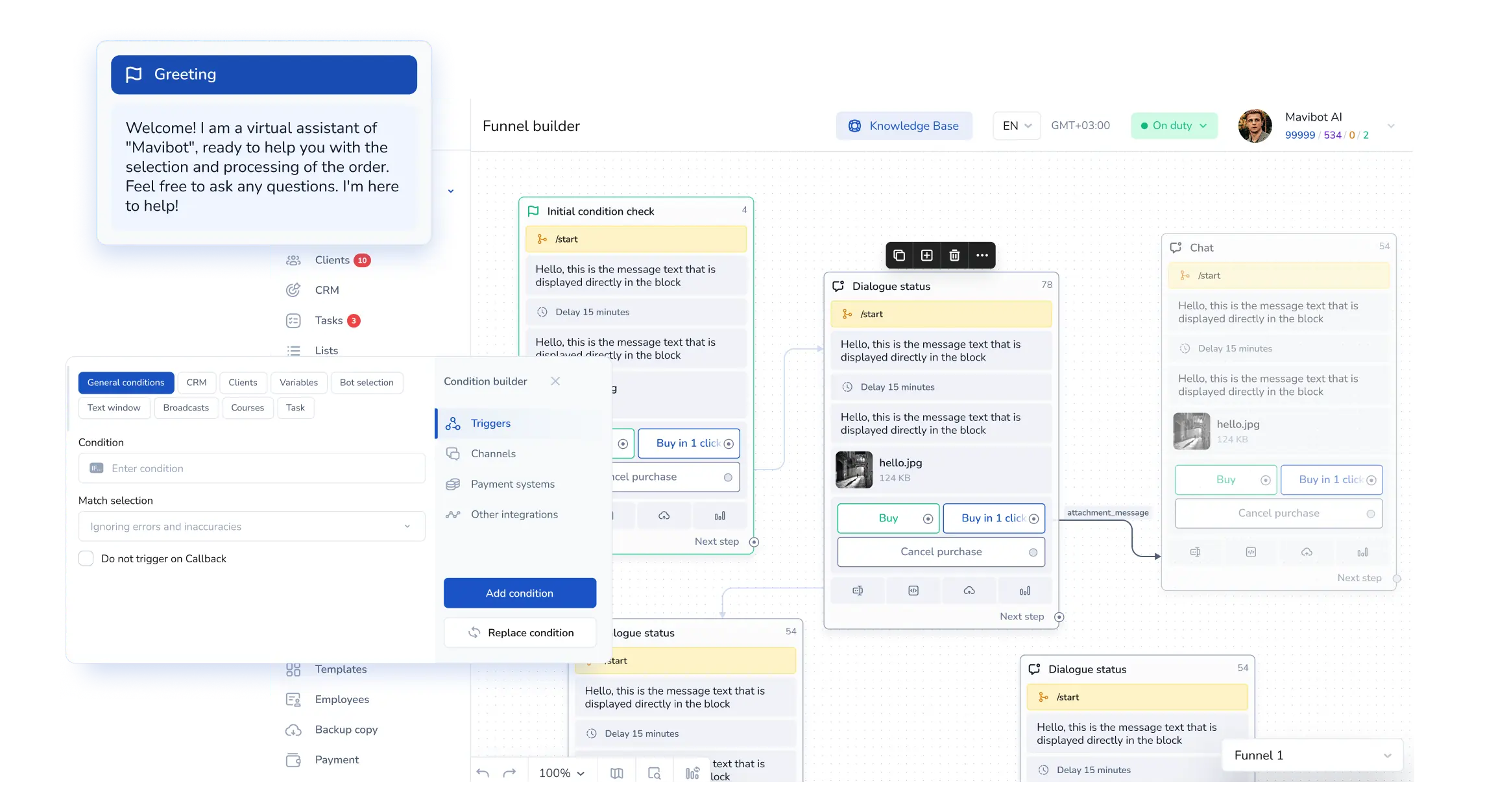
Over 15,000 companies use Mavibot
Powerful features for growing businesses
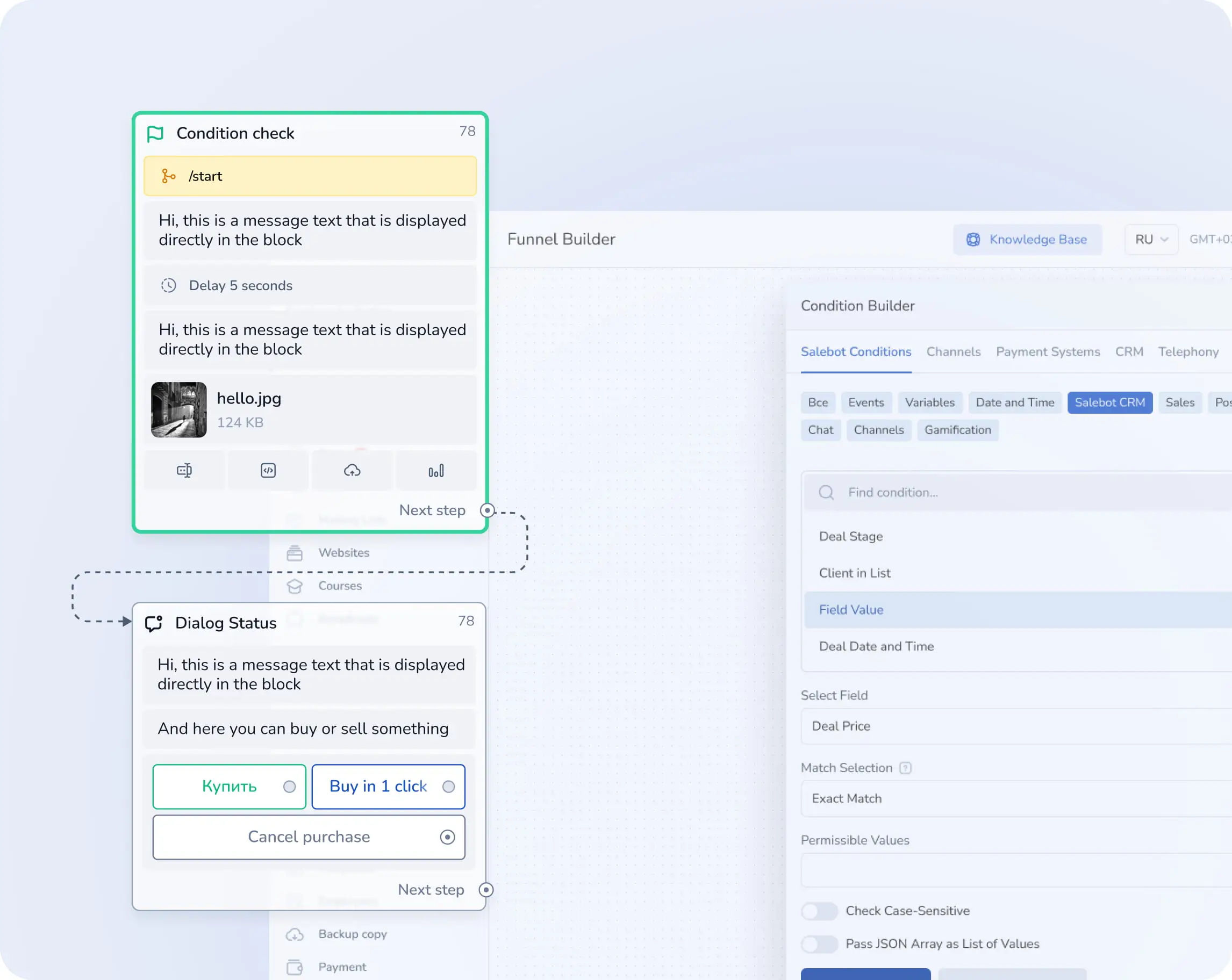
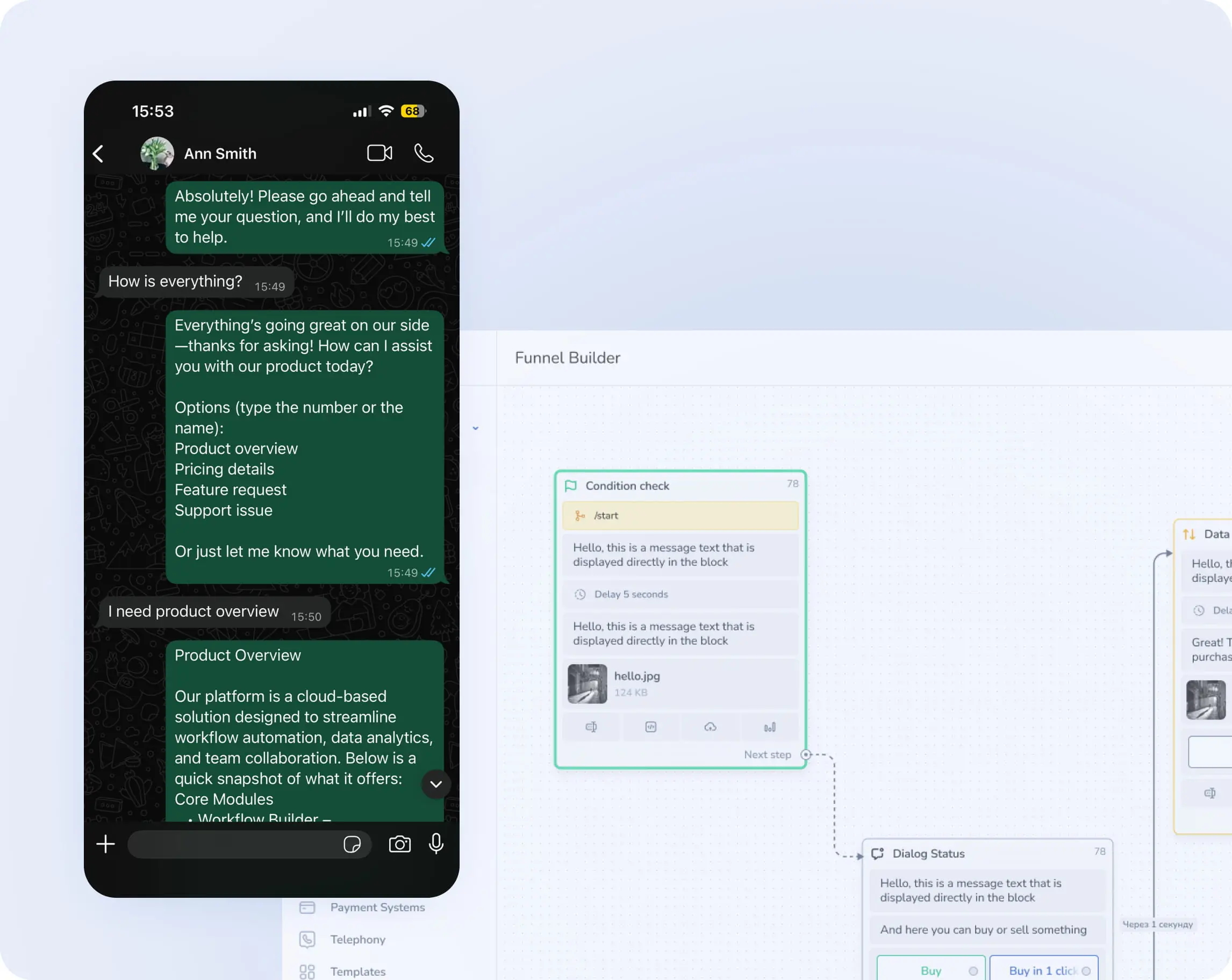
Business messaging automation
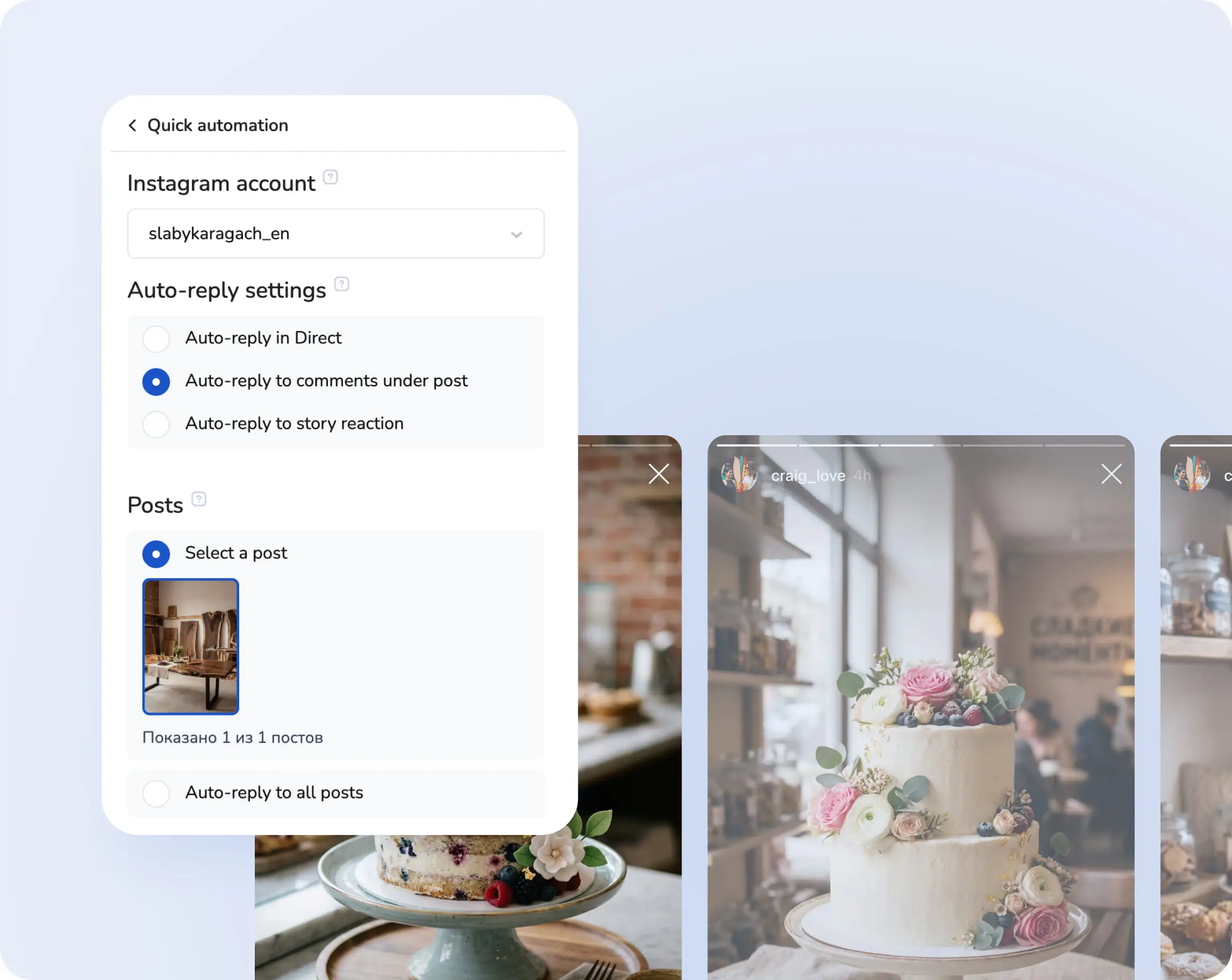
Automate direct messages and send instant replies on WhatsApp, Telegram, Instagram, and email.
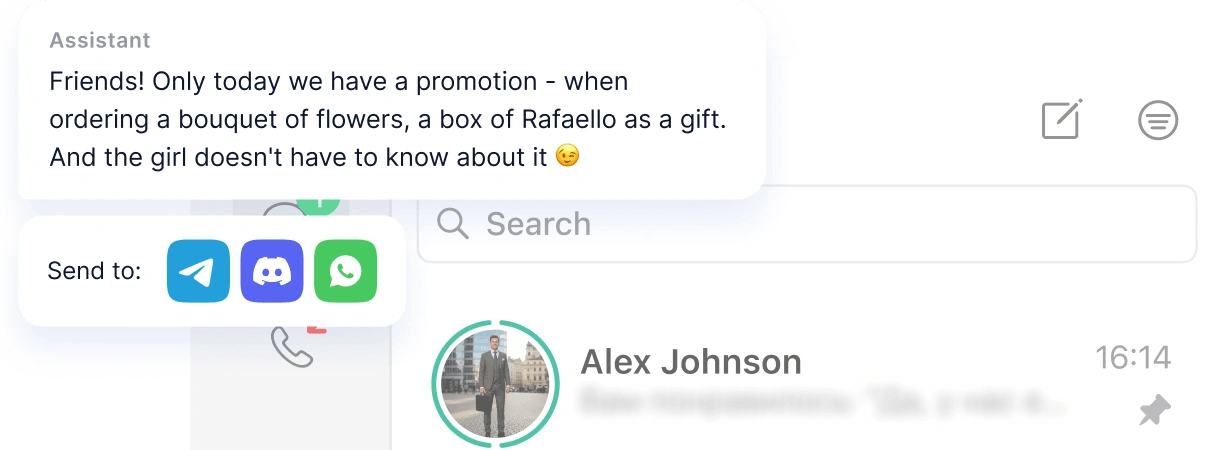
Chatbot for groups and channels
Create a chatbot for your Telegram, WhatsApp and Discord groups and channels to save time and keep all members informed.
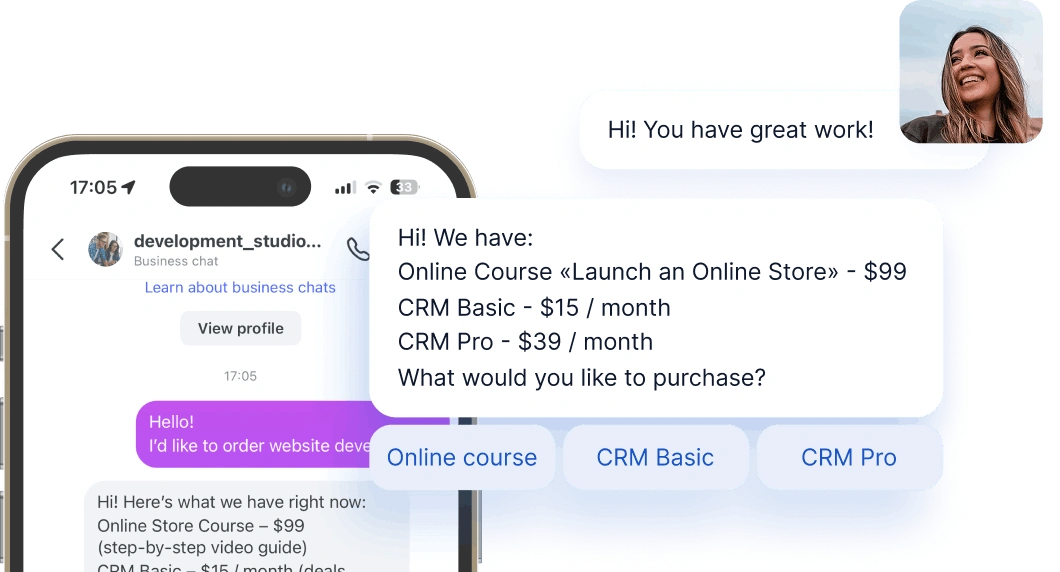
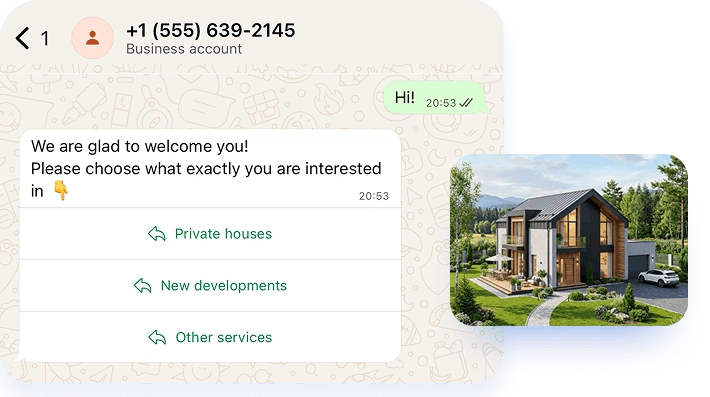
Action buttons in messages
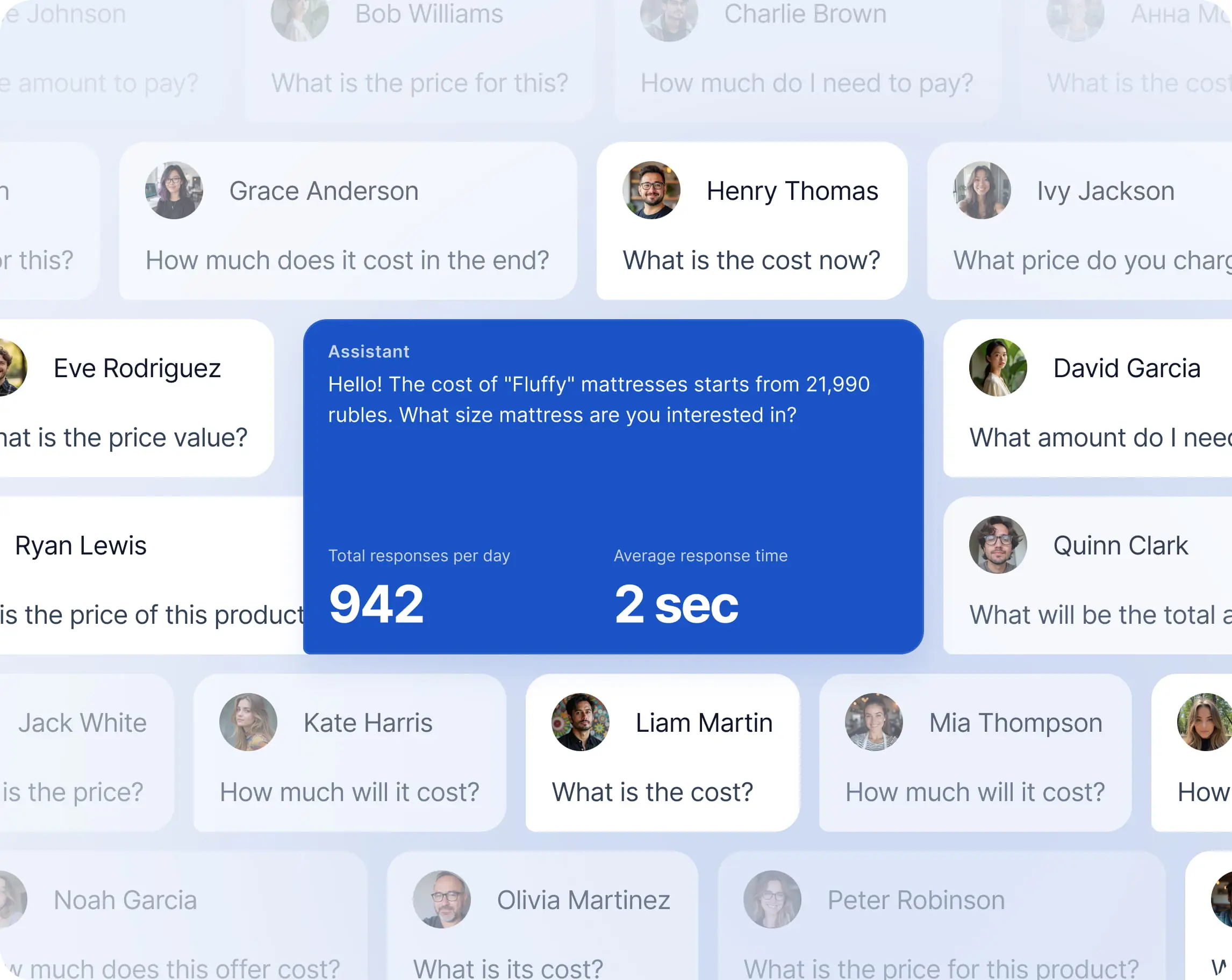
The AI assistant helps your customers book services, purchase products, and get instant support.
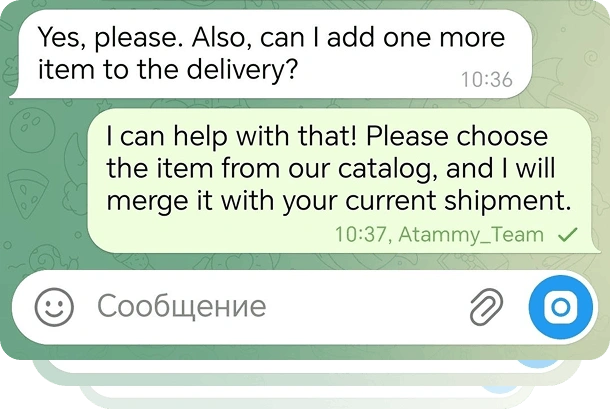
Online booking for services and events via chatbot
Customers can confirm orders, pay for services, and launch bot scenarios with just one click
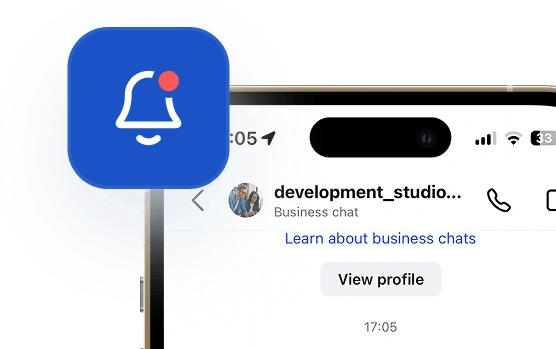
Email & messenger notifications
Remind customers about appointments and orders days or hours in advance.
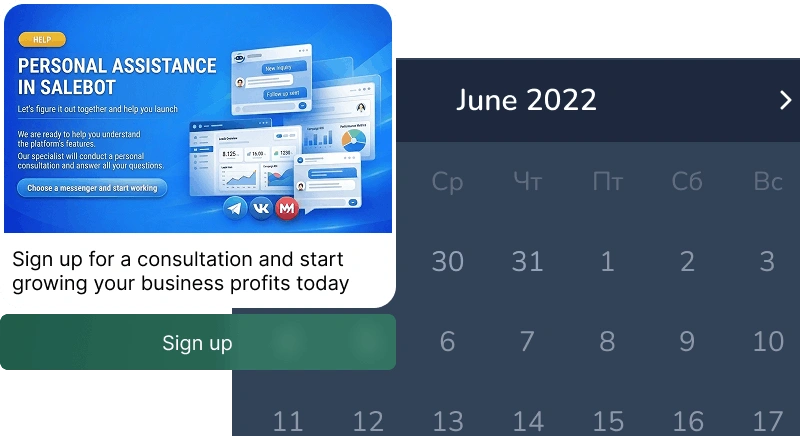
AI Live Chat for Website
Customers can pick a time and book instantly within the chat
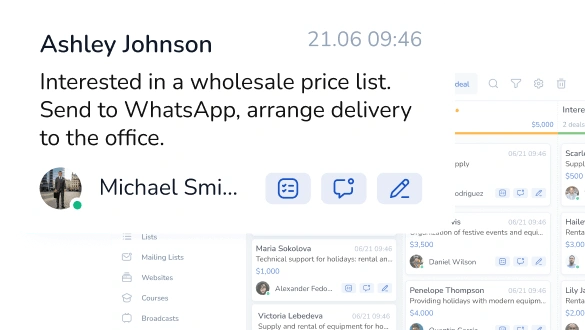
Marketing campaigns
for your customers
for your customers
Send customers promotions, news, or personalized offers via messaging apps or email
We're with you every step of the way
Perfect for your business
Simplify. Automate. Improve.
Why businesses trust Mavibot?
Chatbot for any messaging app
Instagram, WhatsApp, Email, Facebook, Line, TikTok, Discord, and more. One tool for every place your customers talk to you.
Works reliably
The bot responds without delays or errors. Even when thousands of users message at the same time.
Clear pricing
No hidden fees, commissions, or unexpected charges. Always transparent and easy to understand pricing.
AI chatbot generation
Just describe your idea, and the system quickly builds a bot scenario—no need to start from scratch.
Step-by-step analytics
See exactly where users drop off. Quickly find weak points in the funnel and improve them.
Who is Mavibot for?
We automate businesses of any size – from startups to large enterprises
Free plan. No credit card.
Step by step
How to create a chatbot for business?
Set up your funnel
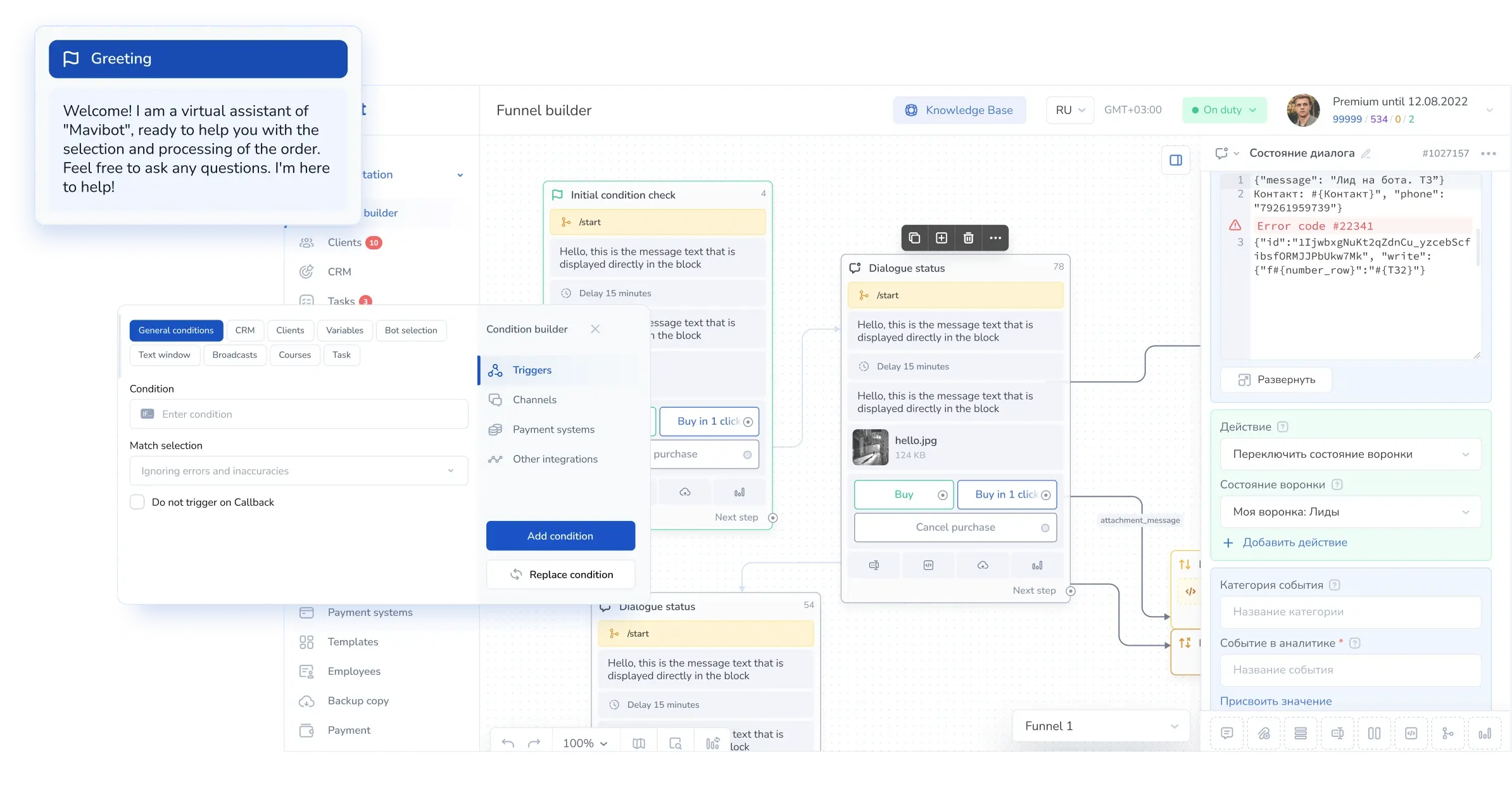
Create a message flow in the Mavibot builder to automate communication with your customers.
#1
Add your content
Add images, videos, files, and links — so chats with your bot are more interesting.
#2
Connect the channel
Instagram, Facebook Messenger, WhatsApp, email, website live chat, and other channels for working with your clients.
#3
Launch your chatbot
Test your funnel scenario in a messenger or in the website's live chat. Your chatbot is now ready to go live!
#4
Growth stories
How our clients use Mavibot
Real stories from 15,000+ companies on the platform
REAL ESTATE AGENCY · CHATBOT BUILDER
Chatbot for a Real Estate Agency
Qualifies property buyers, collects their requirements and routes each enquiry to the right manager.
Read the story
PRIVATE MEDICAL CLINIC · CHATBOT BUILDER
Chatbot for a Private Medical Clinic
Answers common patient questions and helps visitors choose the right clinic service.
B2B EQUIPMENT SUPPLIER · CHATBOT BUILDER
Chatbot for a B2B Equipment Supplier
Screens business enquiries and identifies prospects with active purchasing needs.
ONLINE HOMEWARE STORE · CHATBOT BUILDER
Chatbot for an Online Homeware Store
Helps shoppers navigate product categories, compare options and request personal assistance.
TRAINING CENTRE · CHATBOT BUILDER
Chatbot for a Training Centre
Recommends suitable programmes based on each prospective student’s goals and experience.
Chatbot for a Real Estate Agency
Chatbot for a Private Medical Clinic
Chatbot for a B2B Equipment Supplier
Chatbot for an Online Homeware Store
How Mavibot helped prospective students find the right programme
What People Say About Us
Mavibot customer reviews





Business owners trust Mavibot
Michael
Web development studio
Nicholas
Chatbot developer
Catherine
Online course producer
Paul
Business consultant
Peter
Real estate agent




Business owners trust Mavibot
No hidden fees or additional charges
Transparent pricing that scales with you.
Mavibot Plans comparison
- Pricing
- Free
- Business
- Mavibot AI
- Team members222
- Number of daily messages5010001000
- Live chat
- Builder
- Mavibot CRM
- Website builder
- Analytics
- Courses
- Webinars
- Broadcasts
- Calculator
- Working with API requests
- Working on Google Sheets
- Payments in the chatbot
- Integrations with payment systems (except Prodamus)
- Integrations with online education platforms (Bizon365, Getcourse, Prodamus, etc.)
Free
$ 0
Get started for free — no credit card required
Features
Up to 50 messages per day
LMS platform for up to 10 students
Connect any channel
Build 1 website or online shop
Sales and payments via chatbot
Business
$ 39
/ month
For experts and online schools
Features
Everything from the Free plan
Up to 10,000 messages per day
Up to 1,000 emails per day
LMS platform for up to 1,000 students
Webinar platform
Mavibot AI
$ 59
/ month
For any business and entrepreneurs
Features
Everything from the Business plan
AI assistant for customer communication
AI-powered sales funnel generation
AI communication in 100 languages
Connect AI to any chats and channels
Additional options
+10,000 messages
per day
$ 4.90
+1,000 emails
per day
$ 9.90
+2 GB
file storage
$ 1.90
+100 students
in a project
$ 9.90
Additional channel
$ 9.90
Additional employee
$ 9.90
One service for all your needs.
Change the way you run
your business today
Create a chatbot. Automate customer communication.
All capabilities in one solution.
FAQ
Answers to your questions
What is a chatbot?
A chatbot is a software program that automatically communicates with people by simulating a live conversation. It answers questions, helps users complete tasks, collects data, sells products, or provides consultations — depending on how you configure it.
To automate repetitive tasks with a chatbot, you simply build a message sequence in the Mavibot builder and connect your preferred messenger.
Once set up, the bot will automatically reply to customers, collect their data, forward leads to your managers, and handle any process you've built into the message flow.
To automate repetitive tasks with a chatbot, you simply build a message sequence in the Mavibot builder and connect your preferred messenger.
Once set up, the bot will automatically reply to customers, collect their data, forward leads to your managers, and handle any process you've built into the message flow.
Can I send mass messages through a chatbot?
Mavibot includes a built-in broadcast tool for sending bulk messages to your subscriber base. Send promotions, announcements, or reminders to your entire contact list in just a few clicks.
Broadcasts work across all connected messengers and can be scheduled in advance — so your messages reach the right people at the right time.
Broadcasts work across all connected messengers and can be scheduled in advance — so your messages reach the right people at the right time.
How do I measure chatbot performance?
Mavibot provides detailed analytics on your chatbot's performance: messages sent and received, engagement rates, conversion metrics, and more.
Use these insights to spot weak points in your conversation flow, run A/B tests, and continuously improve your bot to get better results over time.
Use these insights to spot weak points in your conversation flow, run A/B tests, and continuously improve your bot to get better results over time.
Can a chatbot handle multiple languages?
Yes — in Mavibot, you can set up a multilingual chatbot with ease. The AI assistant is capable of communicating with your customers in 100 different languages.
This is especially valuable for businesses serving international audiences or operating across multilingual markets.
This is especially valuable for businesses serving international audiences or operating across multilingual markets.
Can I build a chatbot for free?
In Mavibot, you can create a chatbot completely free.
You have two convenient options:
You have two convenient options:
- 3 days on the maximum plan — everything included (except broadcasts). Test all the features at full power and see what the platform can really do.
- Free subscription forever — works for as long as you need. Perfect if you want to take your time and explore the basic features without any pressure.
How to make own AI chatbot on WhatsApp, Instagram, and Facebook Messenger?
It's very simple:
- Connect your chosen messenger — WhatsApp, Instagram, Facebook Messenger, or Telegram — to Mavibot.
- Describe your AI assistant in plain text: upload information about your company, products, services, and the most common customer questions.
- Choose the role for your AI (for example, "Sales Manager", "Customer Support Specialist", "Consultant", etc.).
Can I accept payments through a chatbot?
Mavibot lets you accept payments right inside the chatbot — so customers can purchase a product or book a service without leaving the conversation.
And it works in any messenger you've connected: Instagram (DMs), Facebook Messenger, Discord, Telegram, WhatsApp, Viber, and more.
And it works in any messenger you've connected: Instagram (DMs), Facebook Messenger, Discord, Telegram, WhatsApp, Viber, and more.
How to build a chatbot without coding?
With Mavibot, you can build a complete chatbot conversation flow using an intuitive drag-and-drop builder — no developer required. Just connect your favorite messaging channel, and you're ready to go.
Stuck on a specific setting? Our technical support team is always available via live chat to help you out.
Prefer a step-by-step approach? Follow our detailed guides and tutorials to set up your chatbot exactly the way you want.
Stuck on a specific setting? Our technical support team is always available via live chat to help you out.
Prefer a step-by-step approach? Follow our detailed guides and tutorials to set up your chatbot exactly the way you want.
Why are chatbots important in business?
Chatbots take over repetitive tasks — automatically welcoming new subscribers, answering common questions, collecting leads, booking clients, and accepting payments — 24/7, with no days off or breaks. This reduces the load on your team, speeds up request handling, and cuts down on lost customers. Businesses that implement chatbots see conversion growth within the first weeks after launch.
How do people make money with chatbots?
Two ways to make money online with Mavibot.
Option 1 — Sell chatbots to businesses
Create and sell custom chatbots for messengers (Telegram, WhatsApp, Instagram, Facebook Messenger) and AI live chat for websites.
One of the most in-demand niches right now? Automating Instagram DMs for businesses.
Option 2 — Join the Mavibot affiliate program
Promote Mavibot to your audience, bring in new clients, and earn bonuses for every successful referral. No technical skills required.
Option 1 — Sell chatbots to businesses
Create and sell custom chatbots for messengers (Telegram, WhatsApp, Instagram, Facebook Messenger) and AI live chat for websites.
One of the most in-demand niches right now? Automating Instagram DMs for businesses.
Option 2 — Join the Mavibot affiliate program
Promote Mavibot to your audience, bring in new clients, and earn bonuses for every successful referral. No technical skills required.
Which messaging platforms can I connect my chatbot to?
Mavibot supports all major messaging platforms: WhatsApp, Telegram, Instagram, Facebook Messenger, Viber, TikTok, Discord, and LINE.
Manage every channel from a single dashboard and respond to customers no matter where they reach out — all without switching between apps.
Manage every channel from a single dashboard and respond to customers no matter where they reach out — all without switching between apps.
How does a chatbot connect to a CRM?
In Mavibot, the chatbot and CRM work together as one seamless system. Every piece of data your bot collects — contact details, responses, orders — is automatically saved to the CRM in real time.
This gives you a full history of every customer interaction, lets you manage your sales pipeline, and automates follow-ups — with zero manual data entry.
This gives you a full history of every customer interaction, lets you manage your sales pipeline, and automates follow-ups — with zero manual data entry.